Same sign-in, same messages
Your business details are added to the profile you already have. No second login, and your conversations stay where they are.
For dealers
Turn on business mode and upload one CSV. Each vehicle is decoded from its VIN and listed with your photos on a page for your lot. Business mode is free: no listing fees, no dealer plans, no paid placement.
Sample listings and people. Pre-release app.
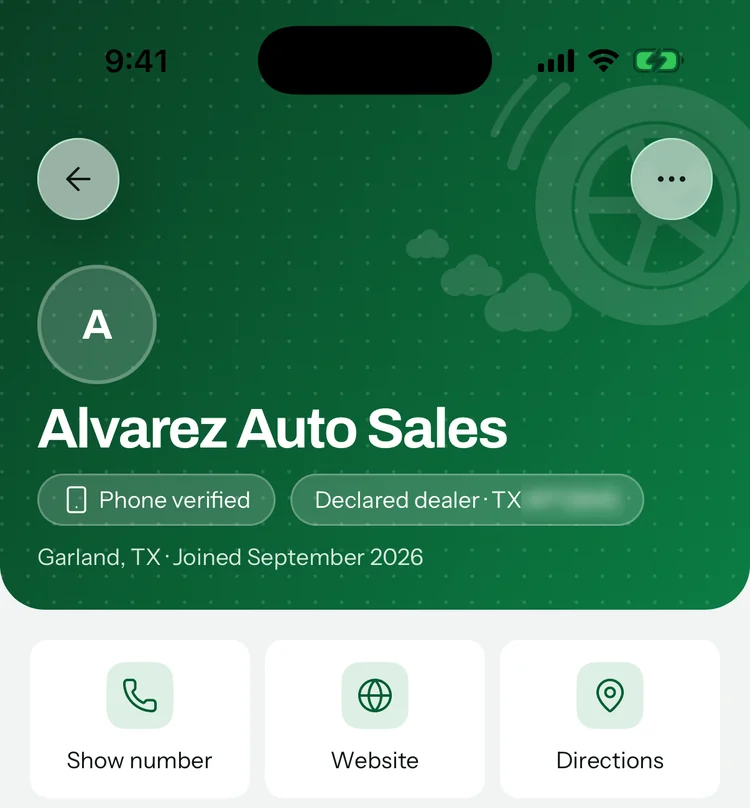
Business mode
Business mode is a switch in You › Business profile. Turn it on and your listings say Business and your inventory gets a public page. The CSV import and the dashboard open up too.
Your business details are added to the profile you already have. No second login, and your conversations stay where they are.
Business name, page handle, dealer license number and licensing state, business phone, website, address, hours, a square logo and a 16:10 banner.
Turn business mode off and your inventory page goes offline. Your listings stay active.
The declaration
“I confirm this is a licensed vehicle business and I’ll follow the advertising rules where I sell.”
You confirm it once, when you turn business mode on. Without it the switch stays off, and the server runs the same check.
CSV import
Export a CSV from your DMS with one vehicle per row. VIN, price and mileage are required. Everything else is optional, and photos come from links in the file. As with the Post tab, you accept the community standards before you import.
Nine columns, one example row. Any order works.
| Column | What goes in it |
|---|---|
vinRequired | The 17-character VIN. Year, make, model, engine and drivetrain are decoded from it using NHTSA’s public VIN decoder. |
priceRequired | Asking price in whole dollars. Dollar signs and commas are fine. It has to be between $500 and $2,000,000. |
mileageRequired | Whatever the odometer reads today. Commas are fine. |
trimOptional | Your trim, such as LT. Left blank, the trim suggested by the VIN is used. |
exterior_colorOptional | A color name such as white, silver or blue. Anything unrecognized is listed as other. |
title_statusOptional | Clean, rebuilt, salvage, lien or flood. Other wording, a blank cell or a missing title column all show as title unknown, so fill it in for every vehicle. It’s your statement to buyers. |
descriptionOptional | Up to 3,000 characters. Phone numbers, emails, links and social handles are removed. |
photo_urlsOptional | Up to 15 image links in one cell, separated by semicolons. |
stock_numberOptional | Your stock number. Re-imports match on it first. |
In the app, four steps
Choose the CSV your DMS exports, or paste its text. One vehicle per row, up to 500 rows per file.
Columns can be in any order. Headers like Internet Price, Odometer and Stock # are matched for you, and you pick the rest. VIN, price and mileage are required.
A dry run marks each row “Will create”, “Will update” or “Error”. Errors name the problem, such as “Bad VIN”, “Missing price”, “Price outside $500–$2,000,000” or “Duplicate VIN in file”. Fix the file and re-upload, or go ahead with the rows that passed.
Each VIN is decoded, photos are fetched and progress shows row by row. A VIN the decoder can’t read is marked “VIN did not decode” and skipped.
Your dealer page
Pick a handle and your inventory gets a public page you can put in your bio, on your website or on a business card.
throttlemarketplace.com/d/your-handle
Every listing you post is marked Business, and its seller card opens this page. In the app, both show your profile name, so make that your business name. Buyers can filter search results to private sellers or businesses.
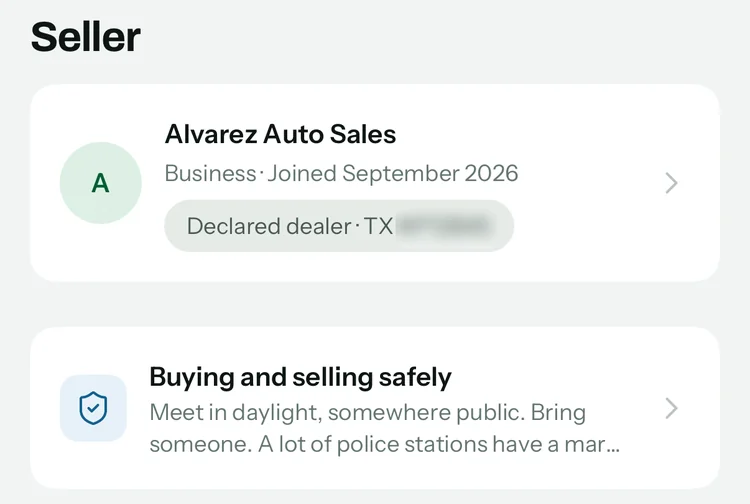
Sample listings and people. Pre-release app.
Dashboard
The dashboard sums up the lot on one screen, and every listing has analytics of its own.
Honest by default
Every listing says Private seller or Business. Dealers are welcome, and they list as dealers.
Community standard 5
“Business sellers say so. Posing as a private seller is not allowed.”
Buyers can report a listing or a profile with the reason “Dealer posing as a private seller.” A person reads every report. We aim to look within one business day.
A license starts out as declared: it reads “Declared dealer” with the state and number you entered. “Licence verified” appears only after Throttle staff check the number, and it comes off if you change the license number or state.
Selling as a business? Turn on business mode and follow the advertising and disclosure rules where you sell. They differ from state to state, and they’re yours to follow.
Throttle isn’t a party to any sale and takes no payments. Buyers see the vehicle and pay you directly.
Cost
Dealers spent an average of $739 on advertising for every vehicle they sold in 2025.
Source: NADA data via DealershipGuy
Listing your lot on Throttle adds nothing to that. Business mode, the CSV import, your dealer page and the dashboard are free. Nobody can pay to be shown first.
FAQ
It doesn’t yet. Listing, buying and messaging are free. There are no ads, and Throttle doesn’t sell your information.
Listing, buying and messaging will stay free. If paid extras are ever added, they’ll be optional, they won’t be paid placement and they’ll be announced on this site first.
Yes. Business mode is a free setting on your account, not a separate account, and you can turn it off any time.
It gives you a public dealer page for your lot, CSV import for your whole inventory and a dashboard with views, messages and days on lot.
Business sellers have to say so. Posing as a private seller isn’t allowed, and buyers can report it.
Yes. Listing, buying and messaging are free. No listing fees, no buyer fees, no subscriptions, no paid placement, no card needed.
Bumping a listing to the top is free too, once every 7 days. The only cost you might see is your carrier’s: sign-in codes come by text, and message and data rates may apply.
Export a CSV from your DMS with one vehicle per row. VIN, price and mileage are required. Trim, exterior color, description, photo links and stock number are optional, and the app matches your columns to its fields for you to check. Include title status too: a blank cell, or no title column at all, is listed as title unknown.
Before anything goes live, a dry run shows which rows will be created, which will be updated and which need a fix. Photo links go in one column separated by semicolons, and a vehicle goes live once it has 3 photos.
Re-import to update price, mileage and description. Photos already on a listing are left as they are. Rows match on stock number first, then VIN. You can run one import every 10 minutes.
Turning on business mode means confirming you’re a licensed vehicle business that follows the advertising rules where you sell. Dealers add their license number and state, and their page reads “Declared dealer.”
“Licence verified” appears only after Throttle staff check the license number, and it comes off if the dealer changes the number or state. A badge describes a license, not a person, so meet in public and look the vehicle over as you would with anyone.
Questions about your inventory export? Email us about your lot.
Opens an email to support@throttlemarketplace.com. We’ll write back once, when the app is live.
Coming soon to iPhone and Android.